Package Guard
Read docs Package installs & blocks
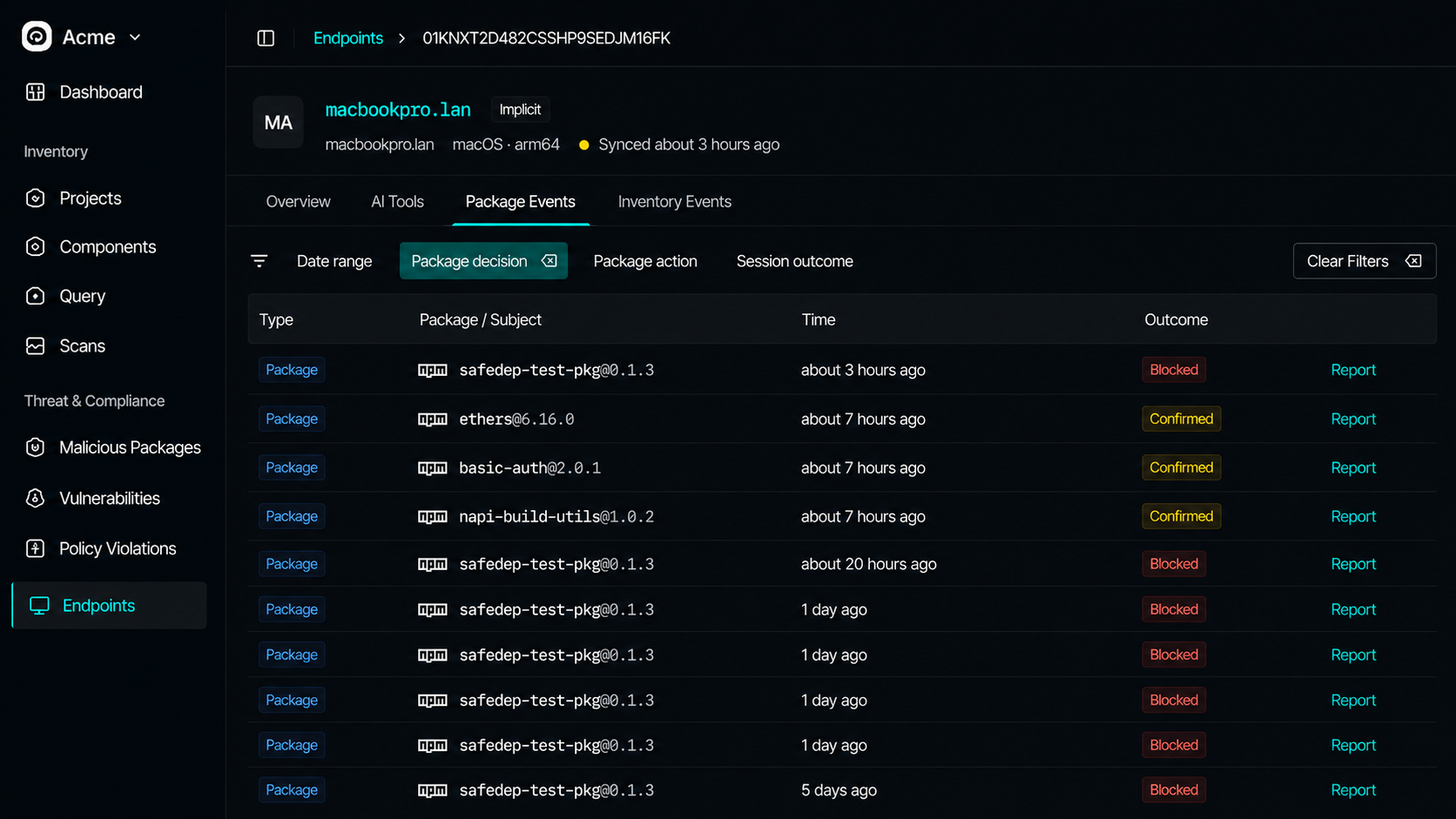
PMG intercepts every install on the endpoint. Sync events to see allowed, blocked, override, and bypassed outcomes per machine.

PMG blocks malicious installs. VET inventories AI tooling on each machine. Sync both to Endpoint Hub for fleet-wide visibility.
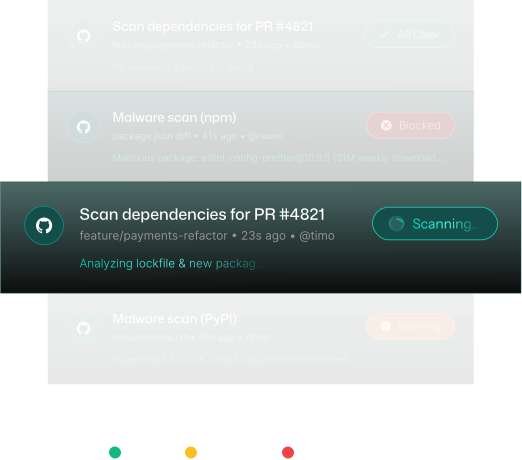
Pipeline scanners see committed lockfiles. They do not see the install that already ran on a developer laptop, the credentials harvested in a post-install script, or the MCP server configured outside your repos. Endpoint Hub closes that gap with live package events and an inventory snapshot of AI tooling.
Local CLIs on each endpoint. With cloud credentials, package activity and AI tooling inventory roll up to Endpoint Hub. Browse by hostname, no SSH required.
PMG intercepts every install on the endpoint. Sync events to see allowed, blocked, override, and bypassed outcomes per machine.
VET endpoint scan discovers coding agents, MCP servers, Agent Skills, and IDE extensions, synced as a snapshot in the Inventory tab.
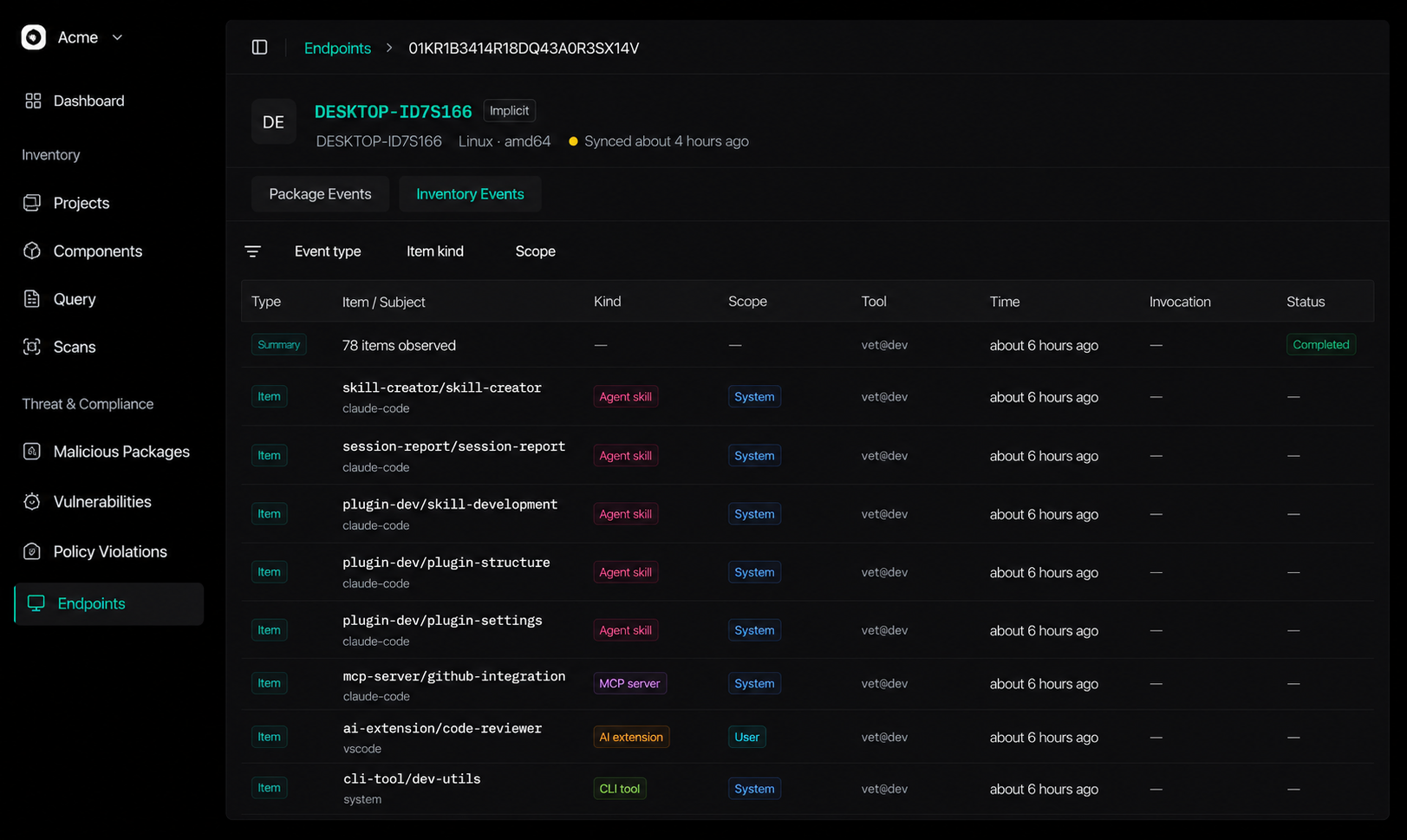
Walk through Endpoint Hub in SafeDep Cloud: browse endpoints by hostname, review package guard events, and inspect AI tooling inventory synced from developer machines and CI runners.
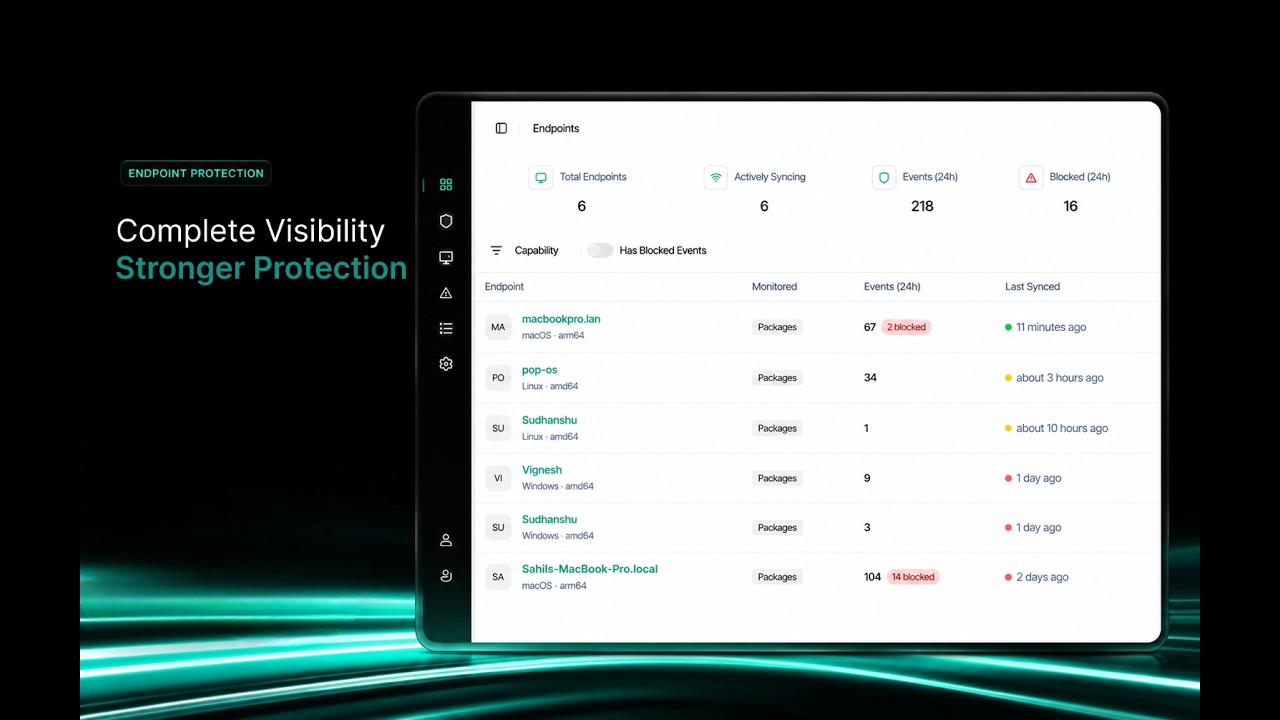
VET endpoint scan and PMG both run on the endpoint first. Configure SafeDep Cloud credentials when you want findings in Endpoint Hub. Otherwise nothing leaves the machine.
Sync package events and AI tooling inventory to SafeDep Cloud.
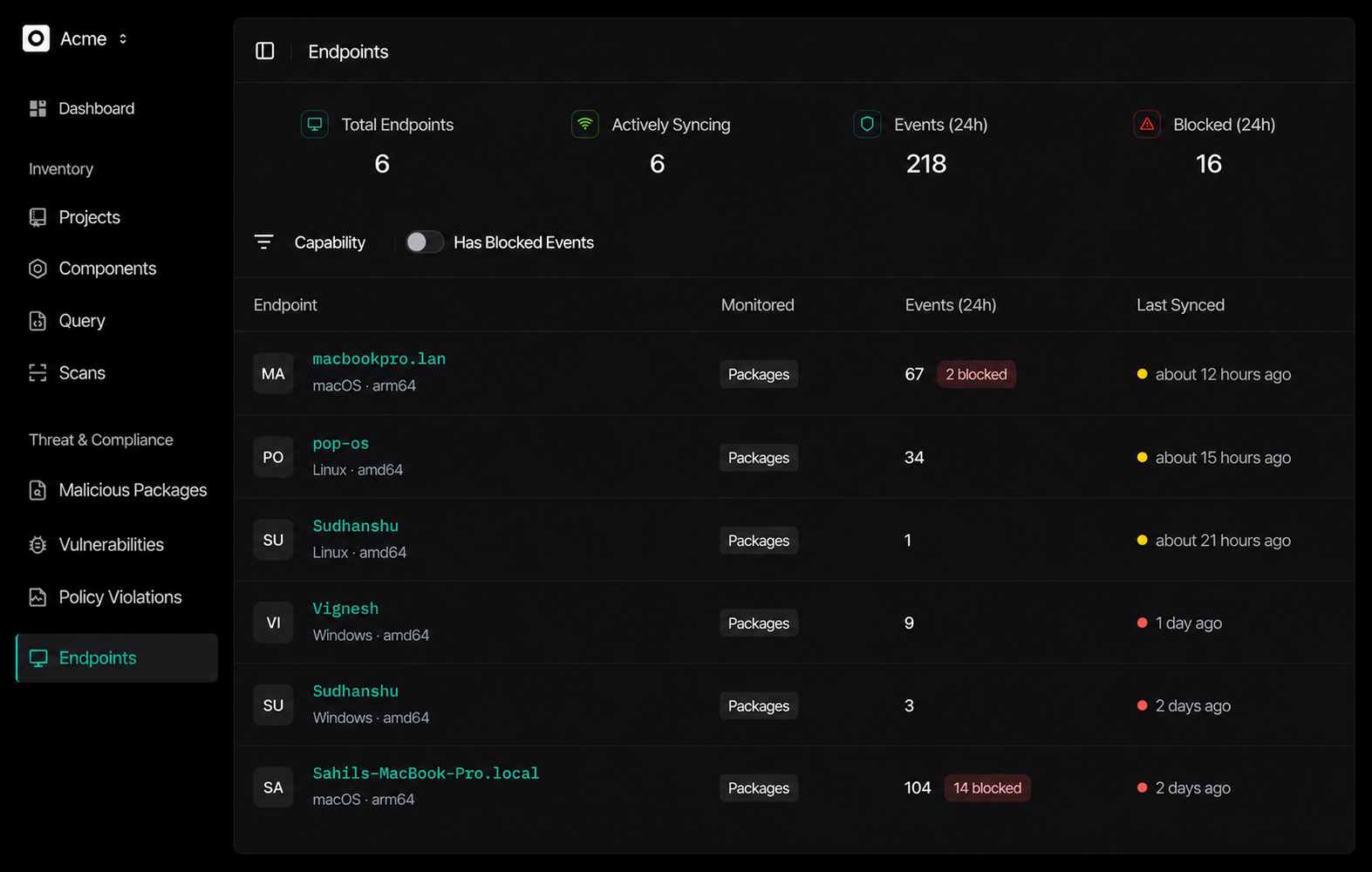
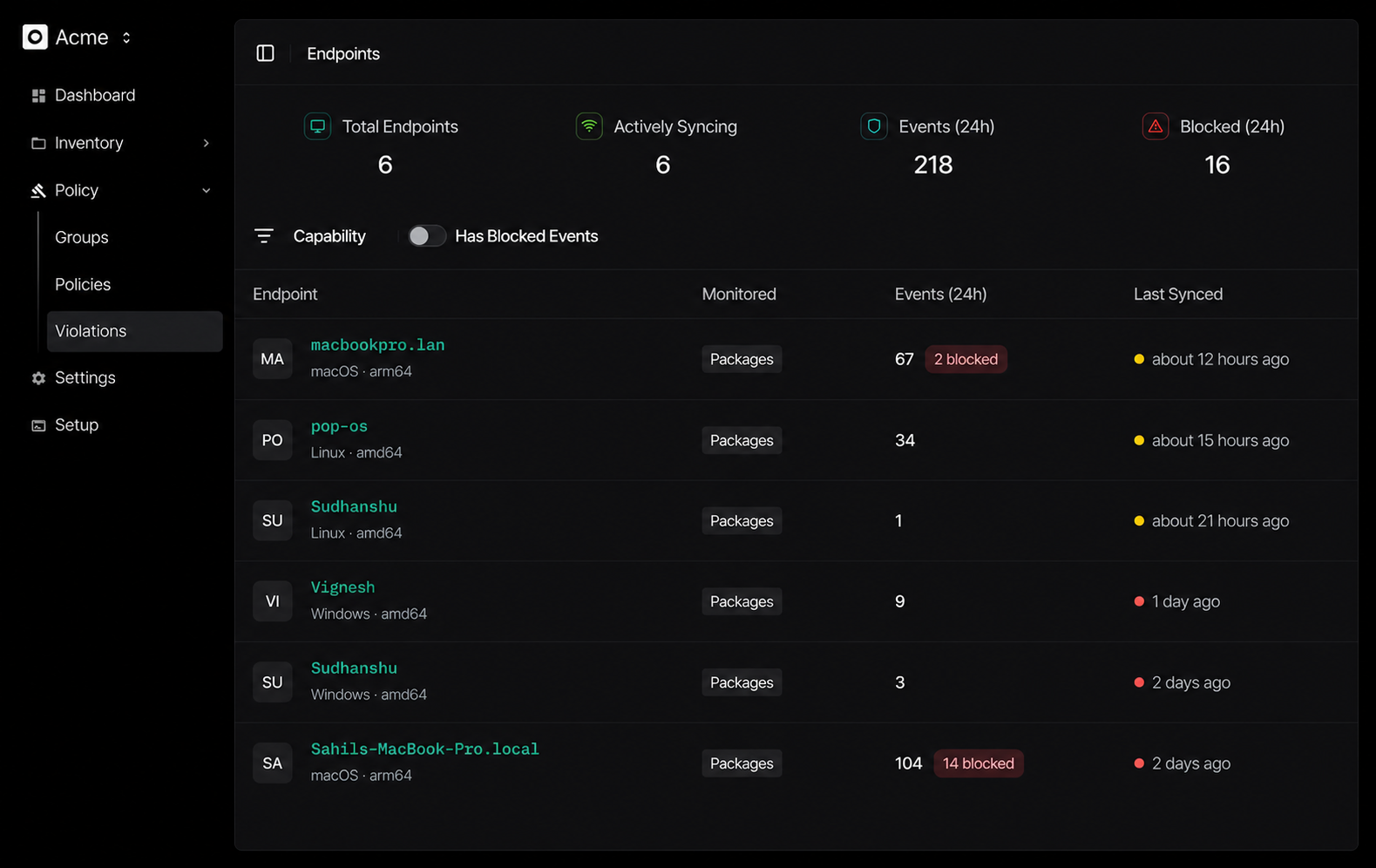
Endpoint Hub groups every synced machine by hostname. Each endpoint gets an Inventory tab (AI tooling snapshot from VET) and a Package Guard tab (install timeline from PMG). Without cloud credentials, both CLIs still run locally. Nothing leaves the machine.
Open app.safedep.ioInstall PMG, enable cloud sync in config, log in once, and let automatic sync drain install events after each session. See the Package Guard docs for CI guidance (disable auto-sync on ephemeral runners; run pmg cloud sync at job end).
cloud:
  enabled: true
  auto_sync:
    enabled: true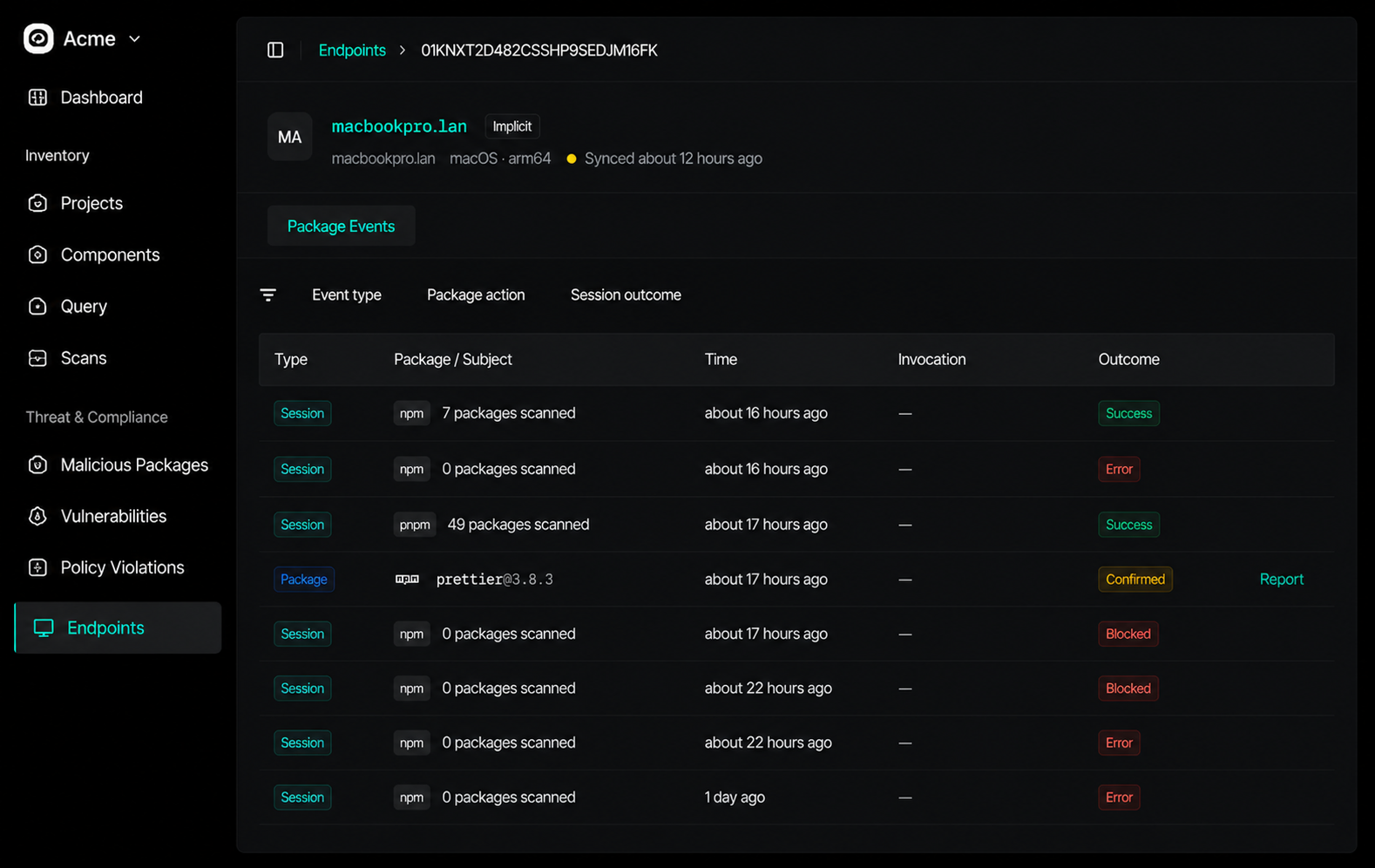
VET endpoint scan discovers coding agents, MCP servers, Agent Skills, and CLI tools on the machine. Configure SafeDep credentials, run a scan, and items appear under the Inventory tab. Pair this with Package Guard to answer both “what is installed” and “what ran on install.”
vet auth configure --tenant <your-tenant-domain>
vet auth verify
vet endpoint scan --scope systemSecurity teams get aggregate visibility: active endpoints, blocked installs in the last 24 hours, and drill-down per hostname. Developers keep using open source tools locally; cloud sync is optional until you need org-wide coverage.
Outcomes include allowed, blocked, override, and bypassed, so you see when enforcement was worked around, not just aggregate counts. Automatic sync drains events after each PMG session; use explicit PMG cloud sync in CI before the runner exits.
Inventory lists coding agents, MCP servers, Agent Skills, CLI tools, and IDE extensions discovered by VET, scoped to the full system or a single project. Re-run scans after policy changes or when onboarding new machines.
Start with open source PMG and VET on each machine. Enable cloud sync when your security team needs Endpoint Hub across the fleet.